In a world where smartphones are practically an extension of ourselves, the question of whether the iPhone 13 has a SIM card slot is surprisingly riveting. Imagine unboxing that sleek device only to find yourself in a tech thriller plot twist—no SIM card slot! Spoiler alert: it does have one, but let’s dive deeper into the details.
Overview Of iPhone 13 Features
The iPhone 13 showcases several impressive features, combining technology and design. With an emphasis on user experience, this model stands out in the smartphone market.
Design and Build Quality
Apple crafted the iPhone 13 with a sleek design that enhances its aesthetic appeal. The device features a durable Ceramic Shield front cover, resistant to scratches and drops. Precision-engineered glass and aerospace-grade aluminum ensure longevity. Weighing 174 grams, it offers a comfortable grip for extended usage. Available in various colors, it caters to diverse preferences. The dual-camera system is elegantly positioned, maintaining a modern look without sacrificing functionality.
SIM Card Slot Specification
The iPhone 13 includes a nano-SIM card slot, located on the right side. This feature accommodates physical SIM cards for network connectivity. Users can also enjoy eSIM capability, allowing dual SIM functionality without needing an additional slot. Supporting 5G technology, the iPhone 13 enhances data speeds for users with compatible networks. The straightforward slot design ensures easy access for SIM card installation and removal. Compatibility with various carriers adds to its versatility, making it suitable for international travel.
Understanding SIM Card Types
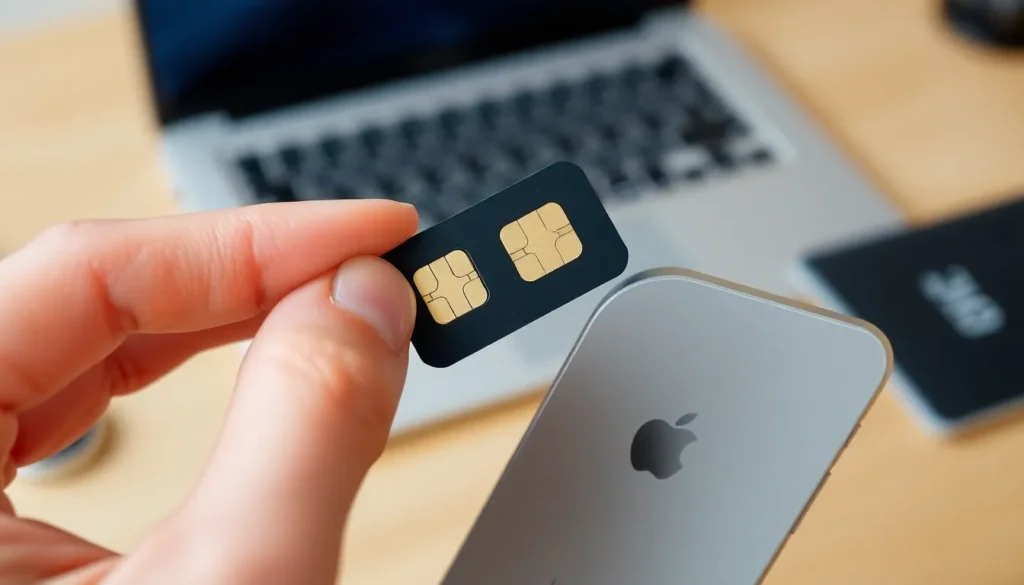
The iPhone 13 utilizes two types of SIM cards, providing flexibility for users.
Nano-SIM vs. eSIM
Nano-SIM cards serve as the physical option for the iPhone 13. Measuring 12.3 mm by 8.8 mm, these cards fit snugly in the designated slot on the device’s right side. eSIM technology offers a digital alternative, allowing users to activate a cellular plan without needing a physical card. Many carriers support eSIM, making it convenient for those who prefer not to use a Nano-SIM. Dual SIM functionality enables simultaneous use of both options, giving users enhanced connectivity.
Compatibility with iPhone 13
The iPhone 13 supports a Nano-SIM card alongside eSIM capabilities, catering to various user preferences. Owners can insert a Nano-SIM from their carrier for immediate service. Meanwhile, activating an eSIM involves scanning a QR code or using a carrier app, simplifying the setup process. Compatibility extends to multiple carriers, ensuring seamless operation for international travelers. Users appreciate the versatility this combination offers, allowing connectivity in diverse regions without hassle.
User Experience with SIM Card Slot
Using the SIM card slot on the iPhone 13 enhances connectivity options for users. The integration of both a Nano-SIM and eSIM provides flexibility for various needs.
Setting Up a SIM Card
To set up a SIM card, users must first locate the SIM tray on the right side of the device. Next, they need a SIM eject tool or a paperclip to unlock the tray. Once ejected, placing the Nano-SIM correctly into the tray is essential for proper functionality. After inserting the tray back into the iPhone 13, cellular service should activate automatically if using a Nano-SIM. For eSIM, scanning a QR code or using the carrier app streamlines the activation process. These straightforward steps ensure that users can enjoy seamless connectivity right away.
Issues and Troubleshooting
Occasionally, users may face issues with the SIM card or eSIM. A common problem involves the iPhone not recognizing the SIM card, which can arise if the card is improperly seated or damaged. Restarting the device often resolves minor connectivity issues. Checking for software updates ensures the iPhone 13 operates on the latest firmware, which can improve overall performance. In cases where the eSIM fails to activate, users should verify that their carrier supports eSIM functionality. If problems persist, contacting customer support will provide further assistance.
Alternatives to SIM Cards
The iPhone 13 supports alternatives to traditional SIM cards, primarily through eSIM technology. This offers users a modern approach to mobile connectivity and flexibility.
eSIM Functionality
eSIM technology allows users to activate a cellular plan without a physical SIM card. Users can access eSIM by scanning a QR code provided by their carrier or using a specific app. Many mobile carriers support this feature, enabling seamless plan activation. This technology integrates both the Nano-SIM and eSIM, enhancing overall connectivity. The iPhone 13 supports multiple eSIM profiles, giving users the ability to switch between plans easily.
Benefits of Using eSIM
Using eSIM offers various advantages. Users can maintain multiple carrier profiles on the device simultaneously. This feature proves particularly useful for travelers who may need different local plans without swapping physical SIM cards. eSIM enhances device security by reducing the chance of losing or damaging physical cards. Additionally, users can activate service instantly, eliminating delays associated with shipping physical SIMs. Overall, eSIM represents a convenient and efficient alternative to traditional SIM cards.
The iPhone 13 stands out not just for its advanced features but also for its connectivity options. With both a Nano-SIM slot and eSIM capability users can enjoy flexible network choices that cater to their needs. This dual functionality is particularly advantageous for those who travel frequently allowing seamless transitions between different carriers.
The combination of physical and digital SIM technology enhances user experience making it easier to manage multiple plans. Whether opting for a traditional Nano-SIM or embracing the modern eSIM approach the iPhone 13 ensures users stay connected without hassle. Overall the iPhone 13’s SIM card slot plays a crucial role in maintaining its reputation as a versatile and user-friendly device.